What's New
Find out about app updates and new features, all in one place. Right here!
Plan and adapt routes more easily on Android
about 17 hours ago
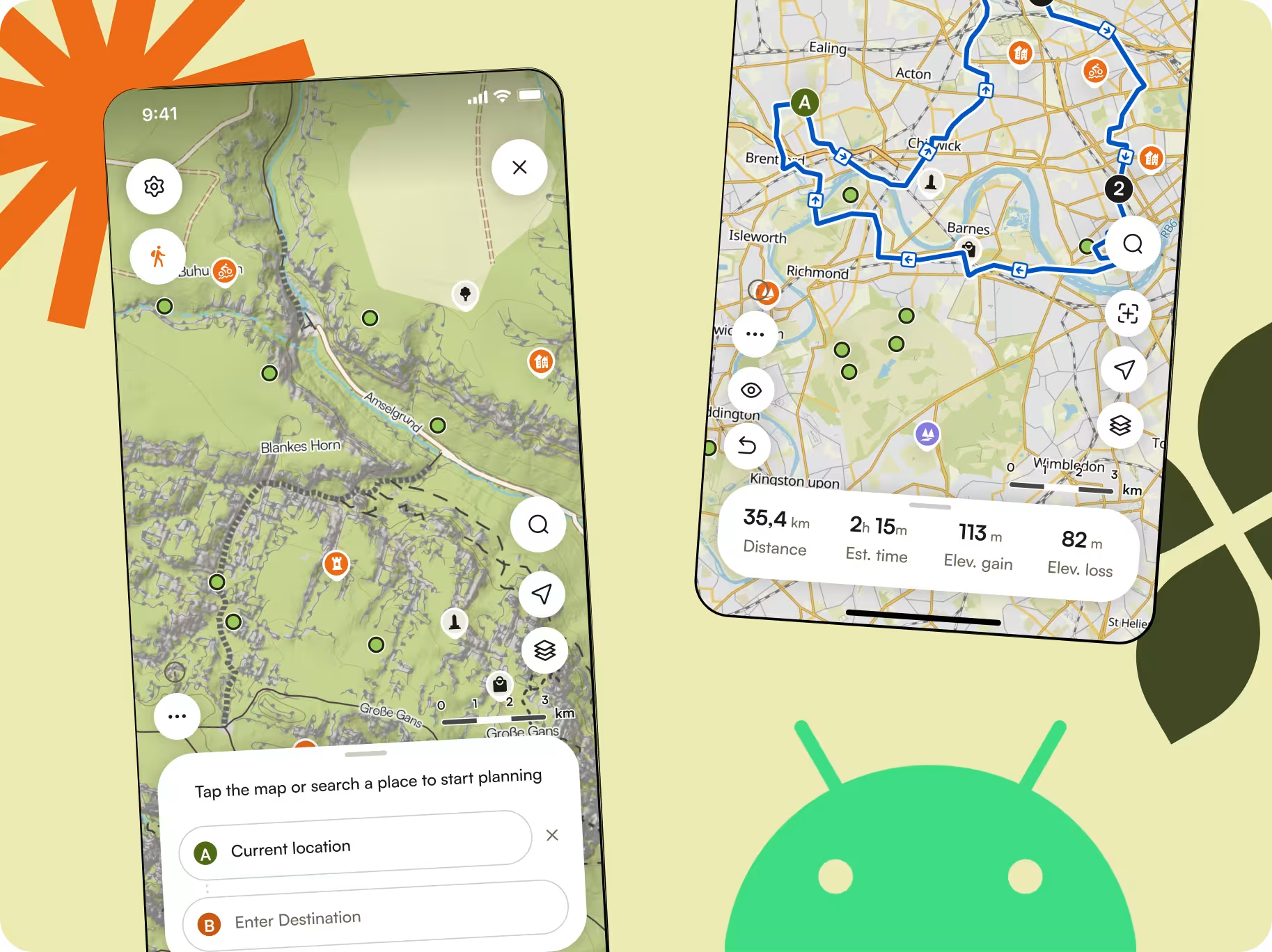
The Android Route Planner has been rebuilt with a cleaner layout, smoother editing, and simpler Waypoint management. More planning tools from Web are now available on Mobile too, including Trail View, Street View, and Route Preferences, making it easier to adapt your route while on the go.
Find a way around blocked routes
3 days ago
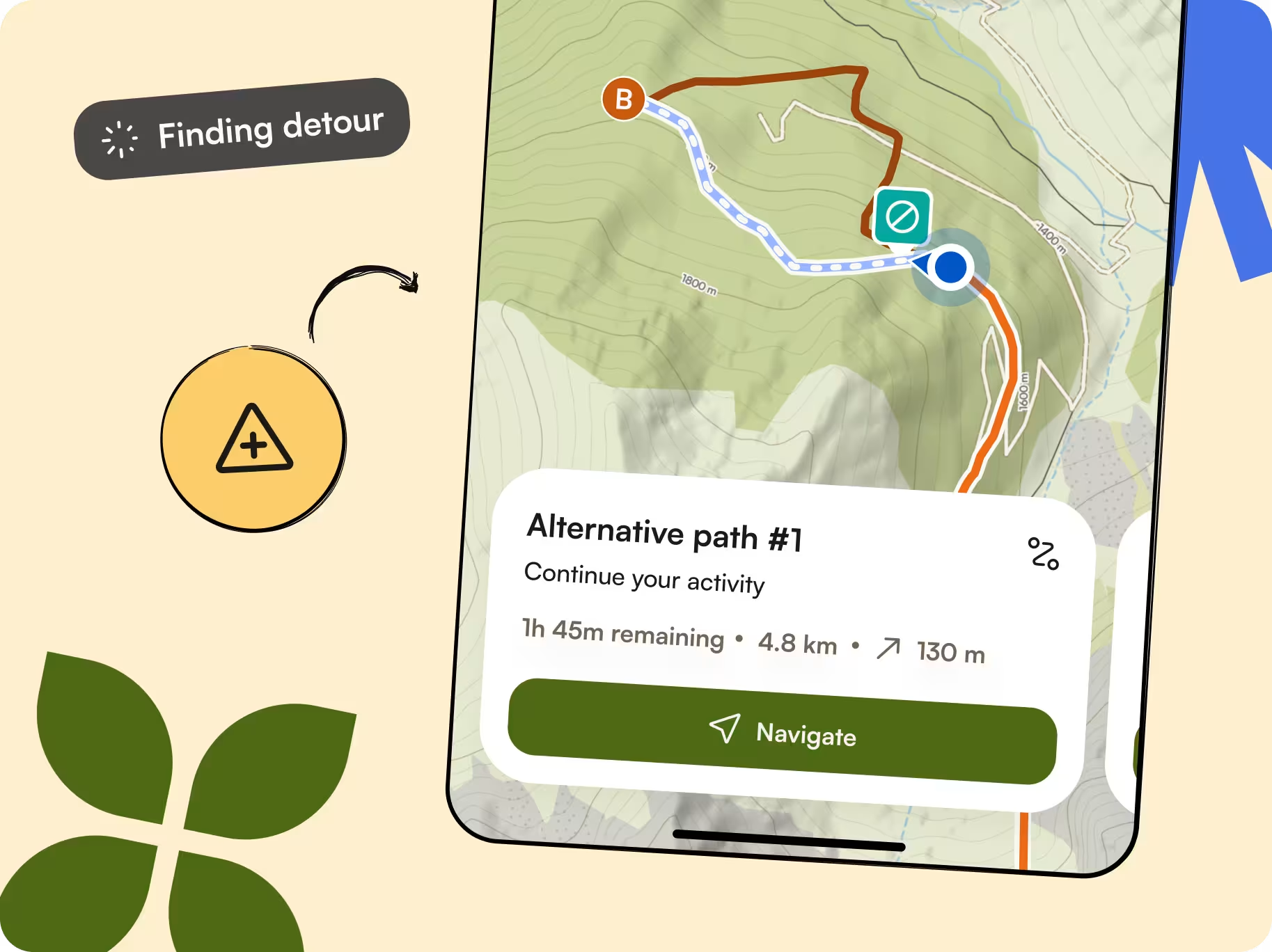
Sometimes conditions on the trail aren’t quite what you expected. If you come across an obstacle, like a locked gate or flooded road, komoot now suggests a detour to get you around it and back on your way. A little unexpected adventure doesn’t have to derail the whole trip.
Avoid specific roads, paths, and areas
3 days ago
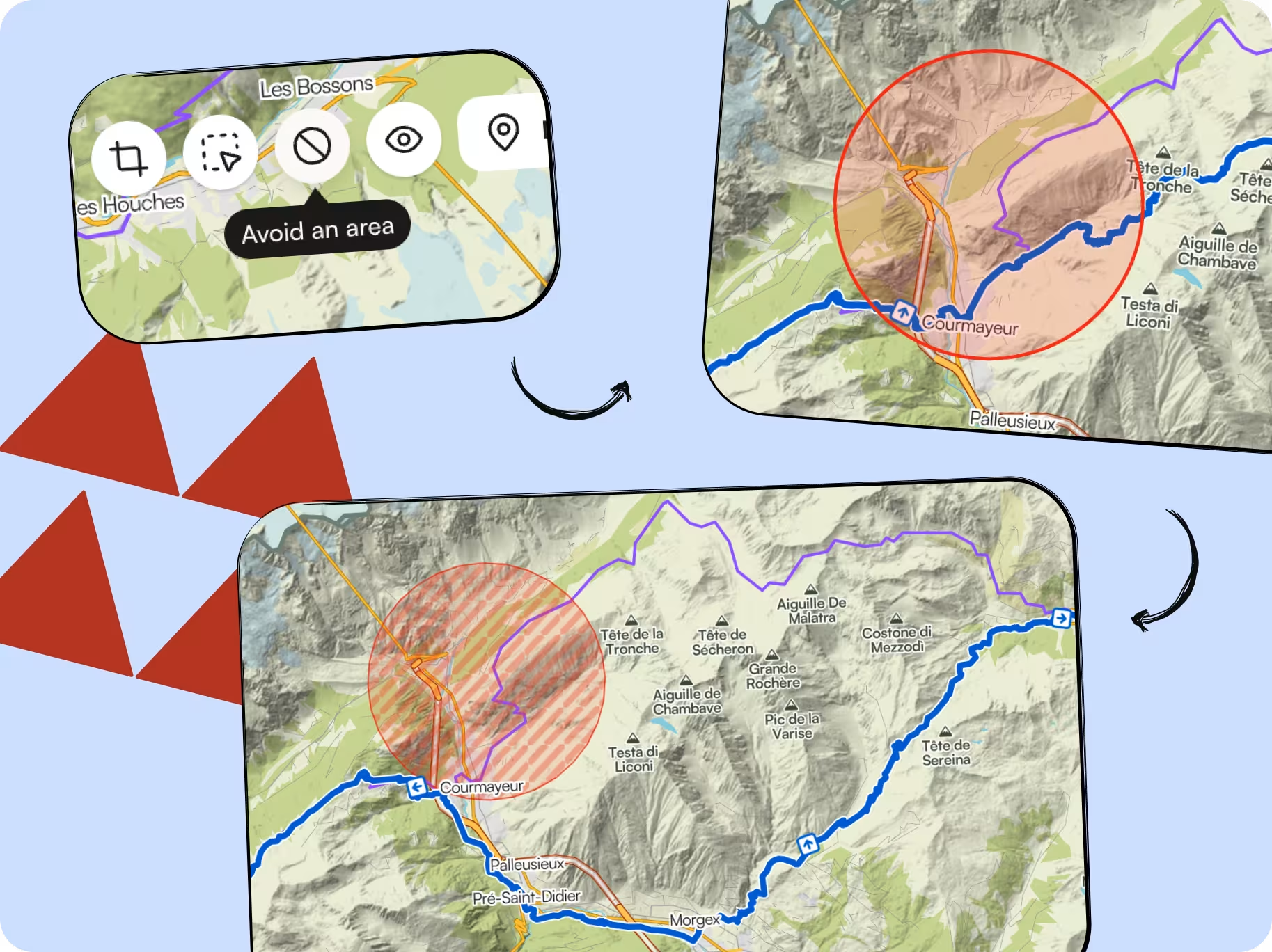
If there’s a road, trail or an area you’d rather skip, you can now mark it to avoid in the Web Planner. The Planner will automatically find another way around.
Find your next adventure crew
3 days ago
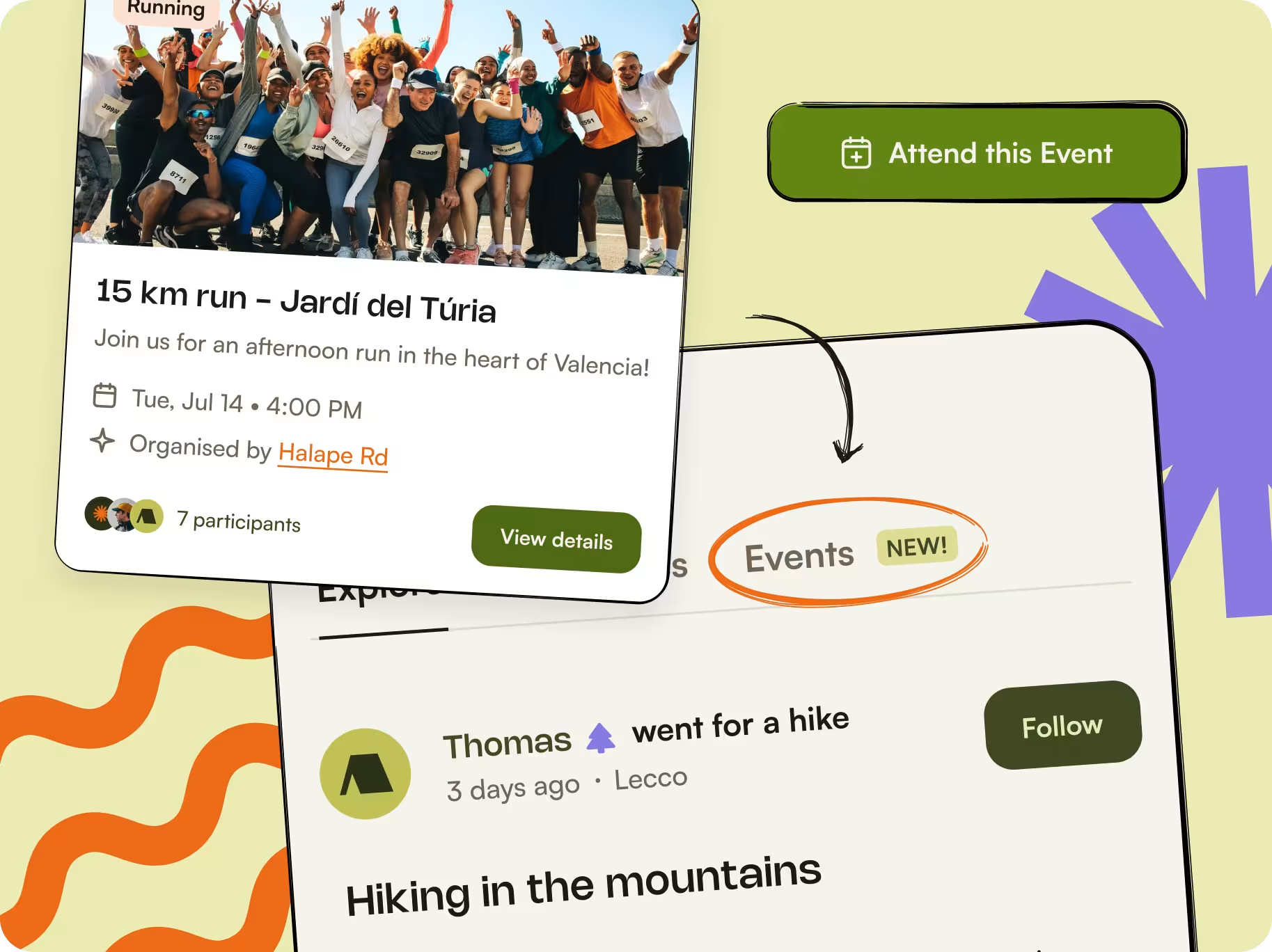
Turn any planned route into a public event for others in the komoot community to discover and join. Add a date, meeting point, and event details, then publish it for people nearby to discover.
Looking for an adventure to join? Browse upcoming events, filter by sport and distance, and connect with new people to get outside with. Joining events is free for everyone.
View upcoming climbs on your Apple Watch
July 20, 2026
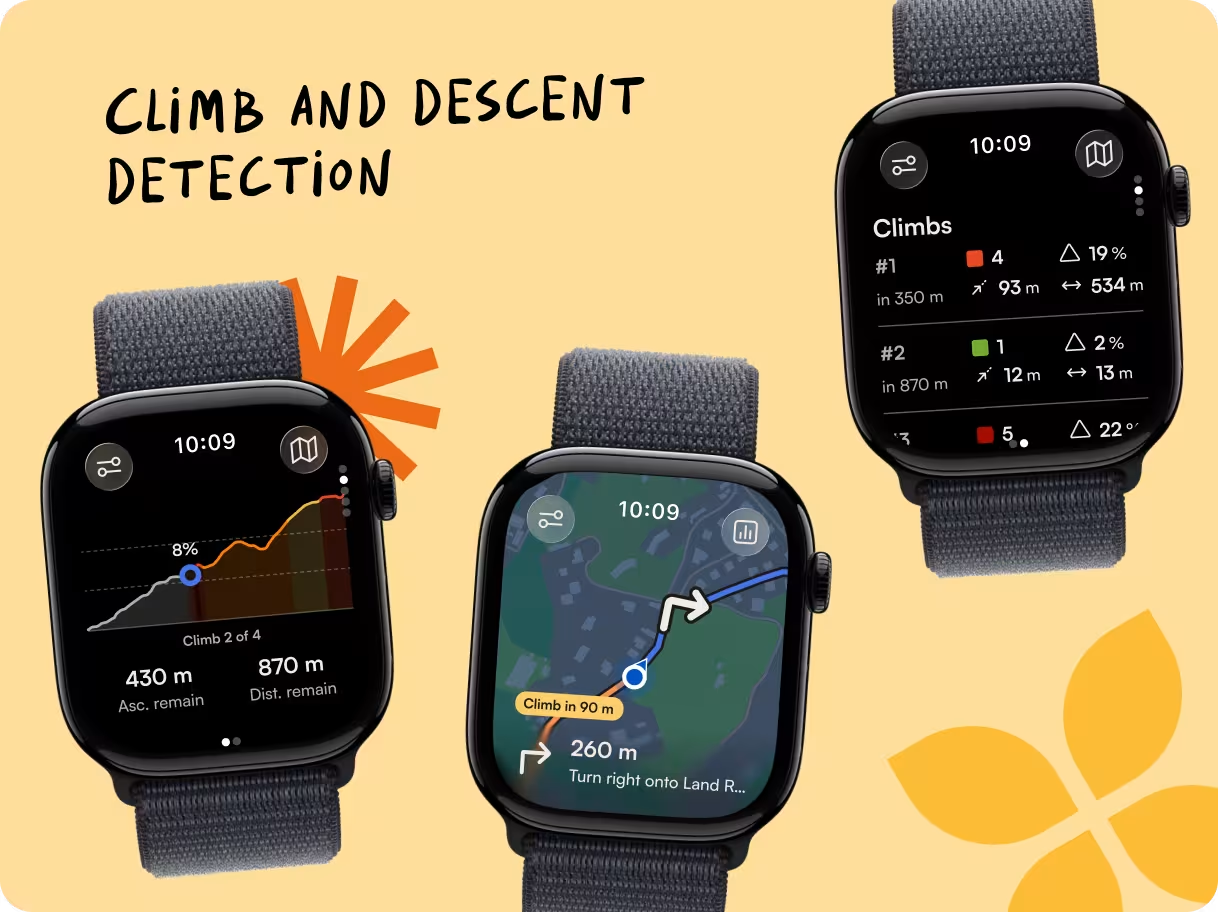
Automatic climb and descent detection is now available on Apple Watch. Know when a steep section is coming, track your progress as you ascend, and see what climbs are still ahead, all from your wrist.
Explore with trusted topographic maps
July 17, 2026
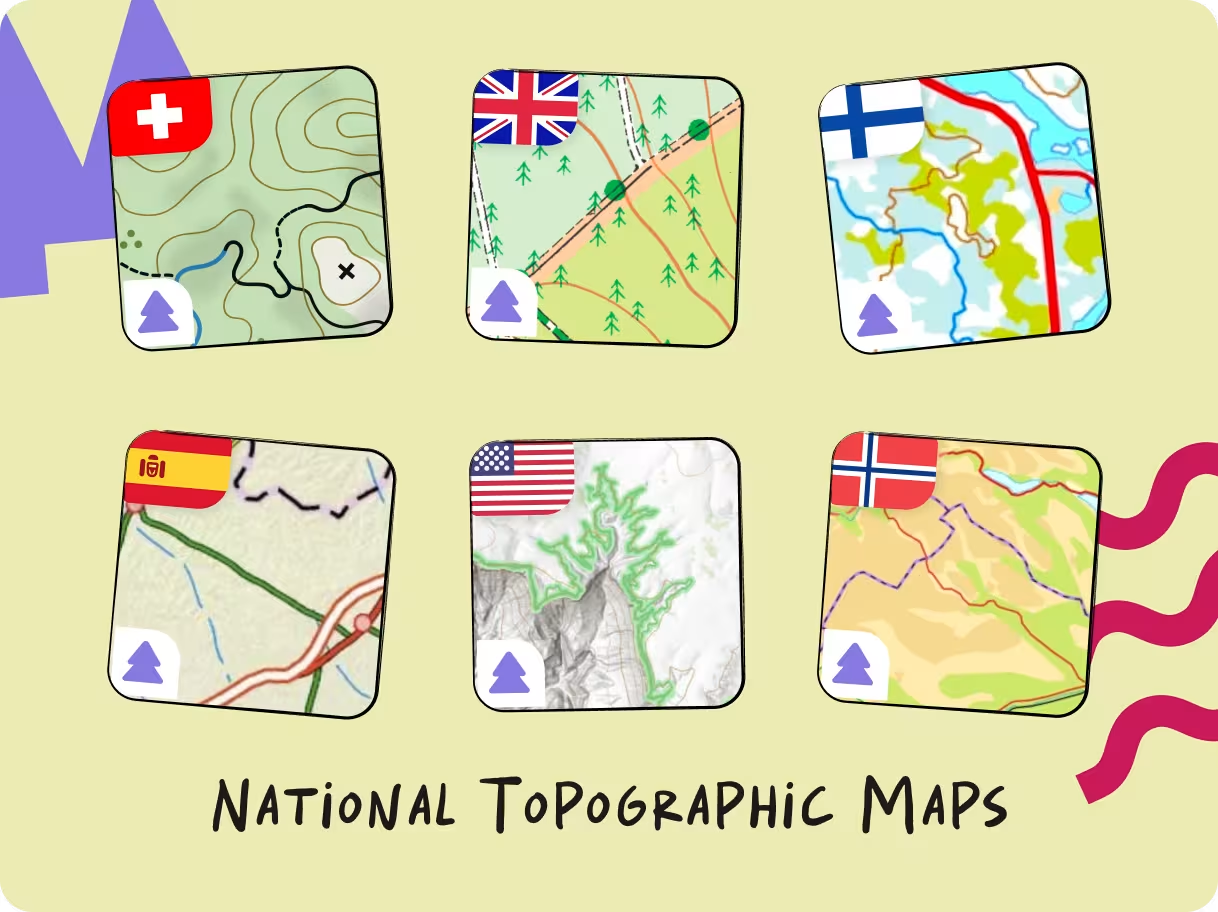
Swisstopo, Ordnance Survey, USGS, IGN Spain and other official topographic maps are now available to Premium users. Switch to them as a reference layer whenever you want to cross-check terrain, contours, place names or official trail information, all without leaving the komoot experience. The trusted maps you know, now integrated with everything you do on komoot.
Trail View, Street View, and Route Preferences now on Mobile
July 13, 2026
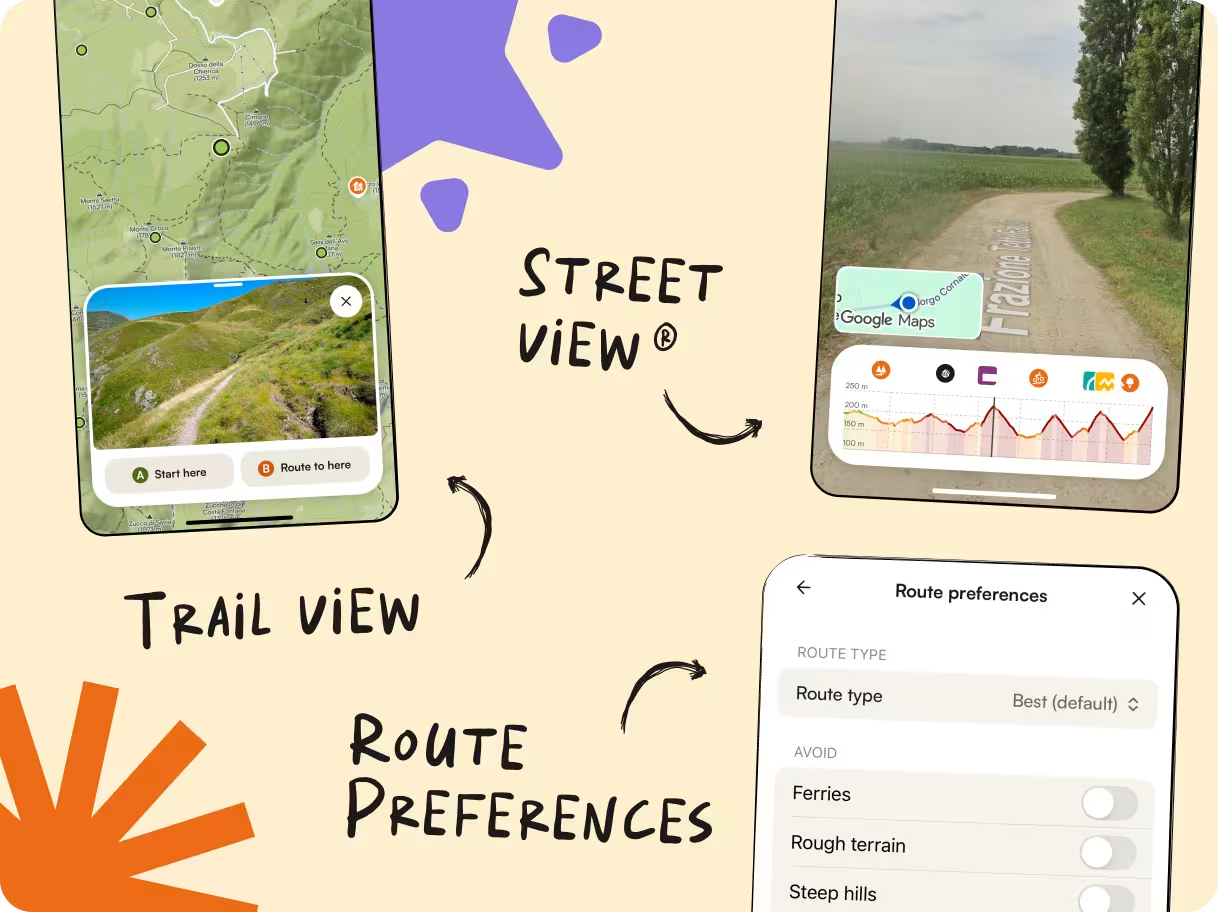
Confidently change your route while you're on the move. The Mobile Route Planner now brings Trail View, Street View, and Route Preferences to your phone. Check the terrain, assess trail conditions, and see what's really ahead before changing your route.
Give your eyes a break with Dark Mode
June 18, 2026
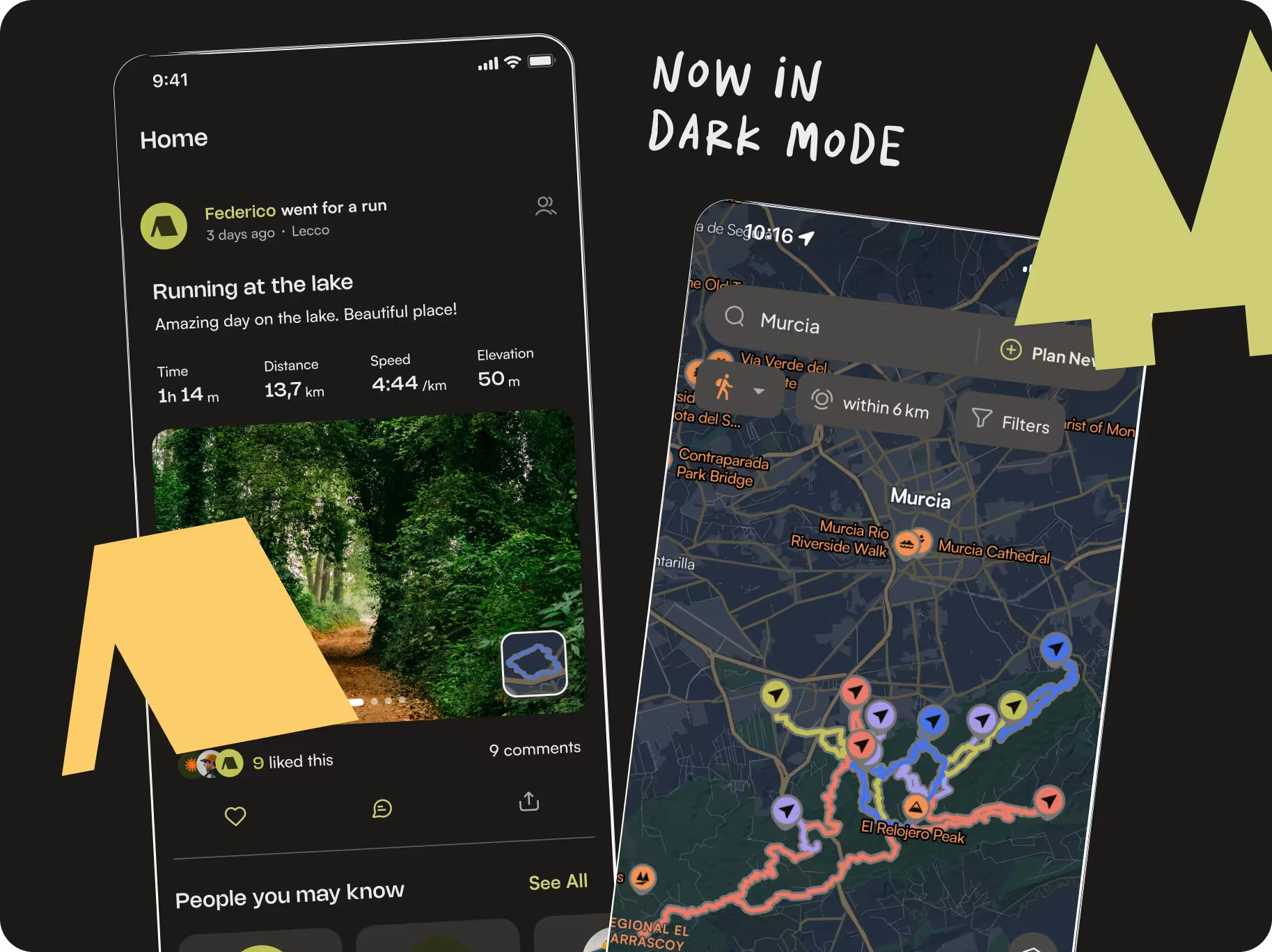
Whether you're heading out before sunrise or planning routes late at night, Dark Mode makes komoot easier on the eyes in low-light conditions. Or if you just want komoot to finally match the rest of your phone settings, Dark Mode is here.
Know what climbs are coming with Automatic Climb Detection
June 9, 2026
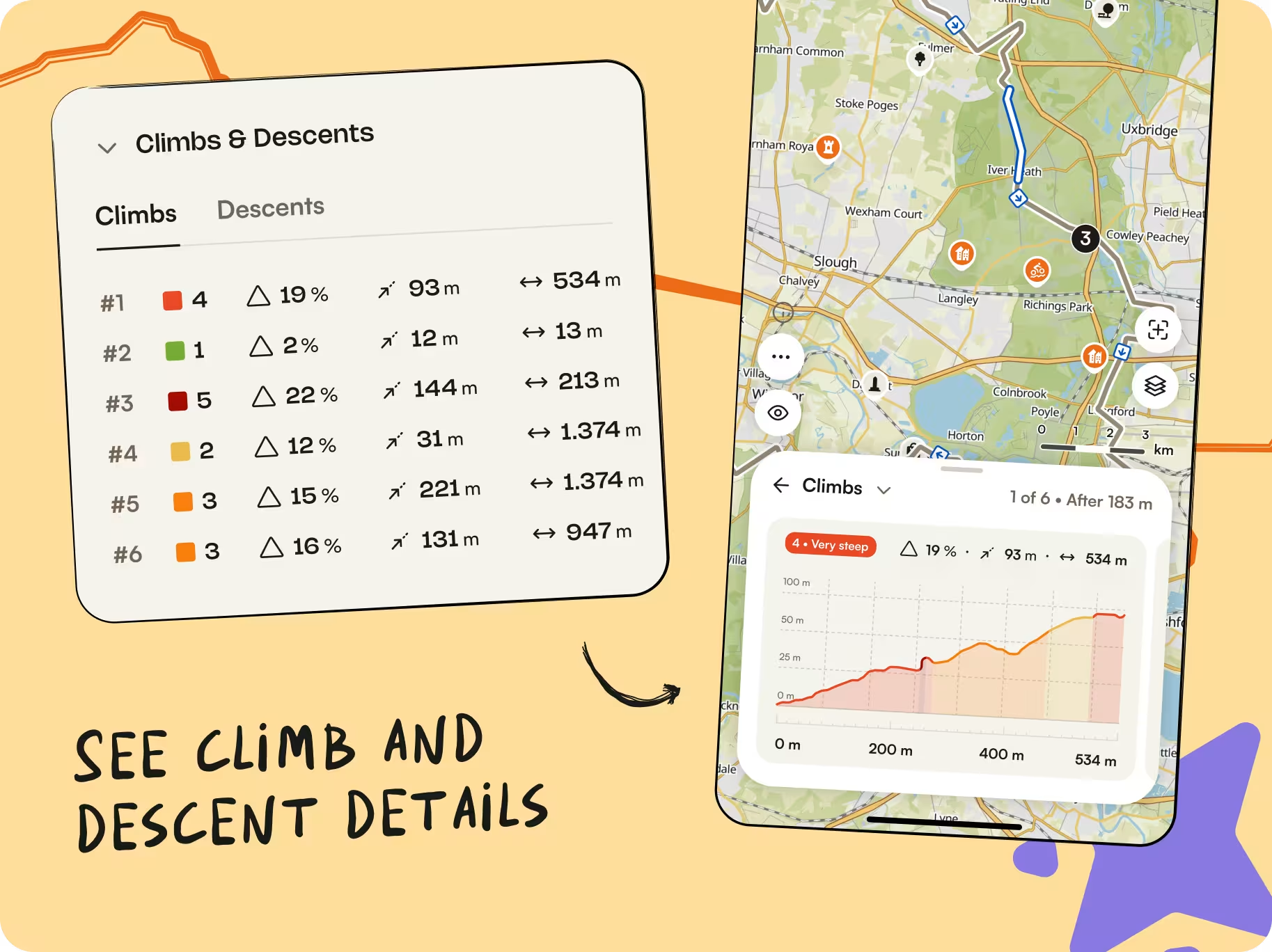
Sometimes you don't want the big climb to come as a surprise. Komoot now automatically detects climbs and descents along your route, so you can quickly spot the toughest sections before you head out. During navigation, you'll also see your live progress on each climb, including how much is still left to go. That means less second-guessing the elevation profile and a better sense of what's still ahead.
Plan more intuitively on a redesigned iOS Route Planner
June 1, 2026
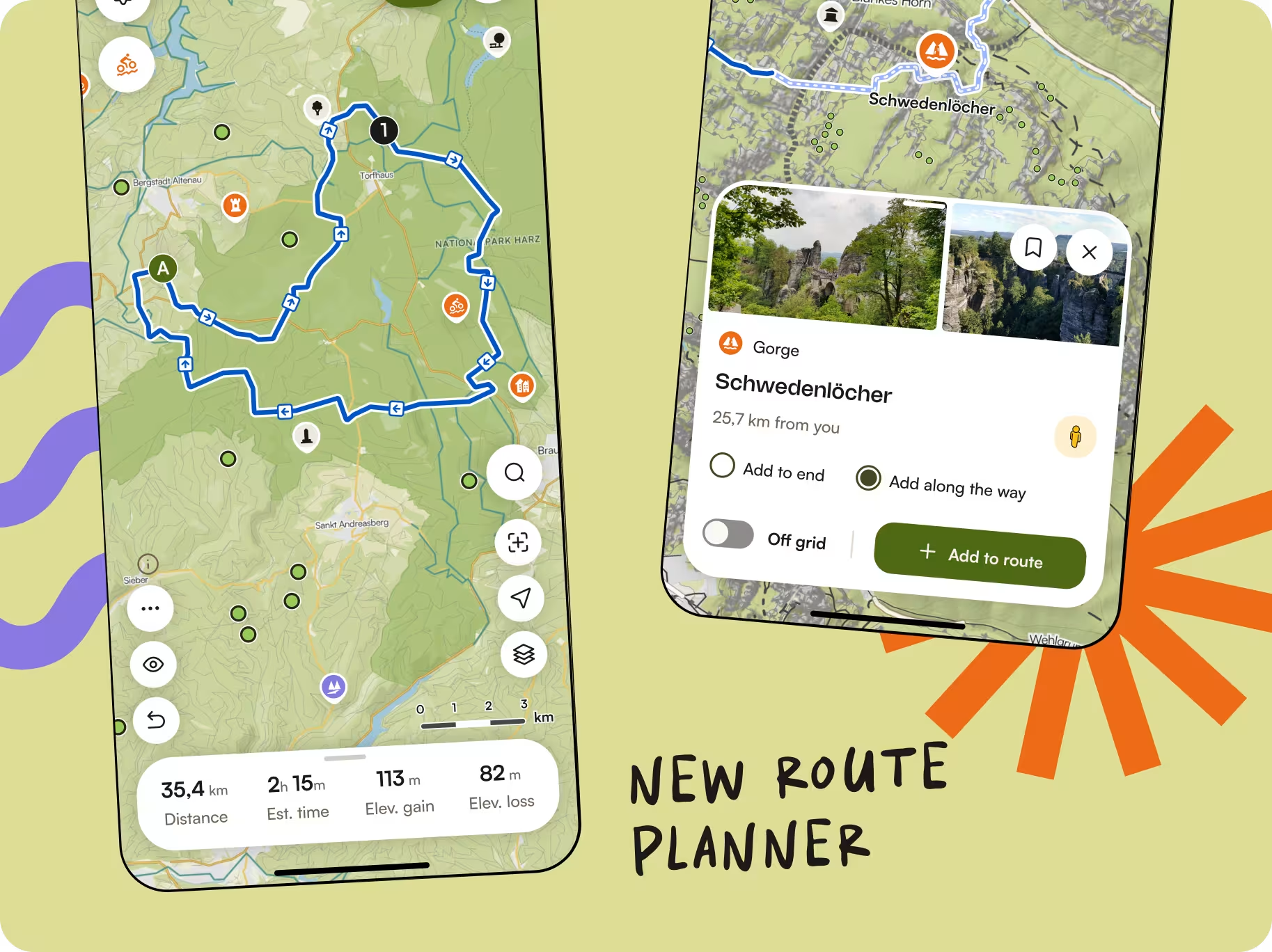
The iOS Route Planner has been completely rebuilt with a cleaner layout, smoother editing, and easier Waypoint management.
More planning tools from Web are now available on Mobile too, so it's easier to fine-tune a route whether you're planning from the couch or making changes on the trail. The whole experience feels faster, clearer, and much easier to work with on the go.
Customize waypoints to mark key places along your route
March 19, 2026

Sometimes you’re planning a route and want to mark a specific place along the way—like a water stop, wild camping spot, or meeting point.
Previously, you could add any location as a waypoint, but you couldn’t give it a custom name or category. This made it harder to remember what each point represented or to share that context with others using the same route.
Now, you can customize waypoints on Android and Web by adding a name and category that …
Plan ahead by viewing upcoming waypoints
February 26, 2026

In the past, information about upcoming Highlights, Points of Interest, and Saved Places (and how far away they are from your current position) wasn’t available during navigation, meaning you were missing key information—for example, where the next water refill point is.
Now, the list of places (and the distance remaining to each one) is available as you navigate. View or hide the list using the handy toggle at the top right of the screen. You’ll …